
Language Translator for WhatsApp
Chat in every language, effortlessly
Read every WhatsApp Web chat in your language, and reply in theirs — automatically. Here's how to set it up in about a minute.
Setup
Get running in a minute
Install & open WhatsApp Web
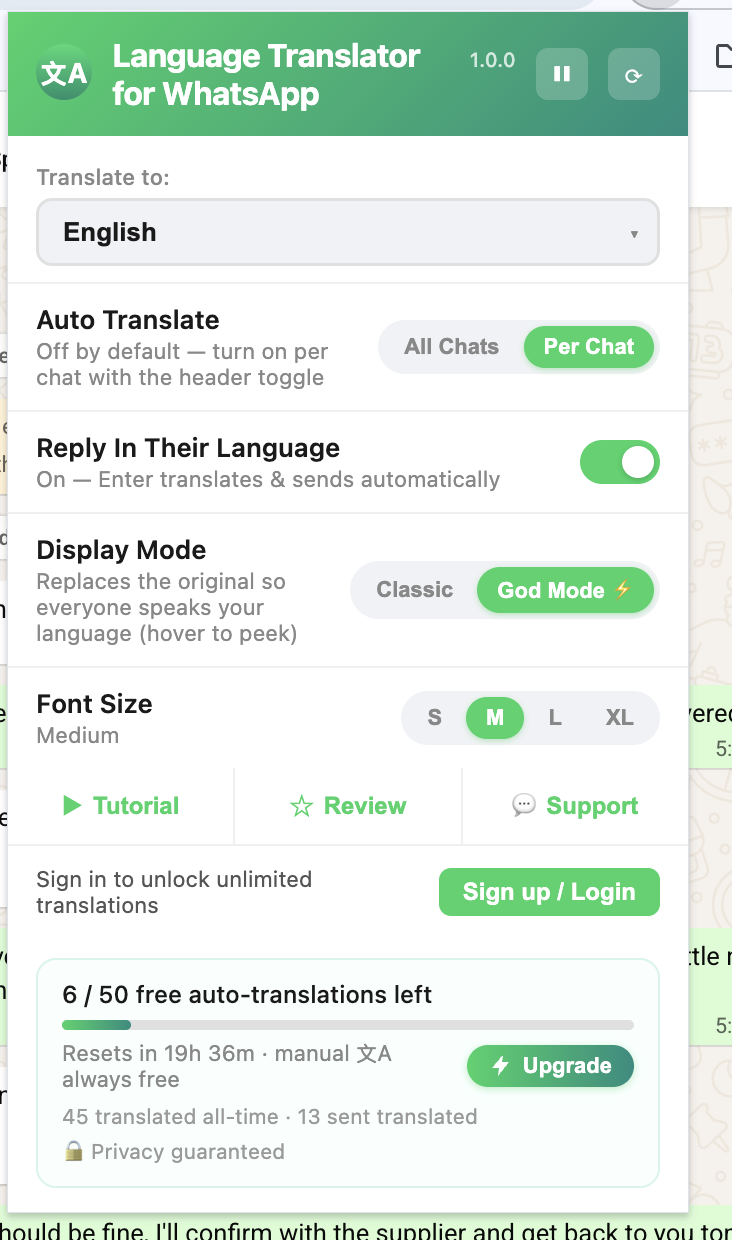
Pin the extension, then open web.whatsapp.com and refresh once so it loads into the page. Click the icon to open the control panel above.
Pick your language
Choose your language under Translate to. The other language is auto-detected from each chat — no need to set it.
Turn on Auto Translate
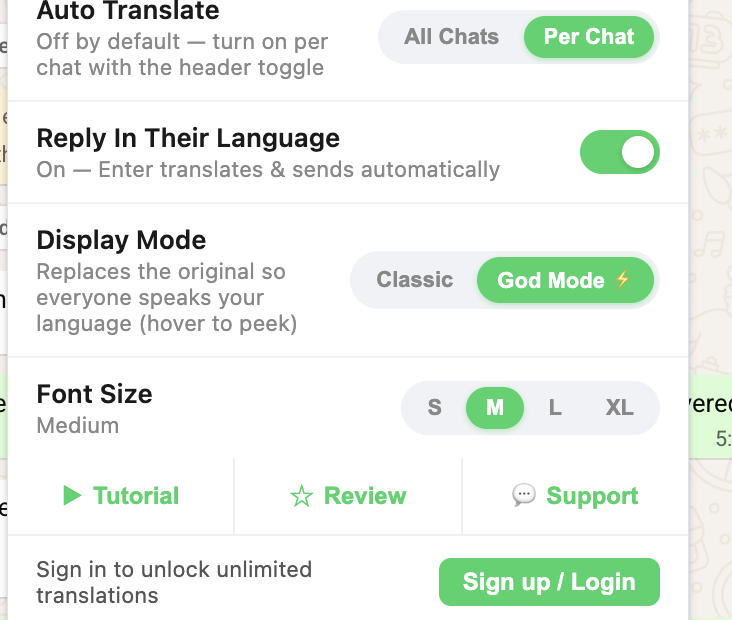
Use All Chats to translate every conversation, or Per Chatand flip the toggle in a chat's header. Incoming and your own messages both appear in your language.
Reply in their language
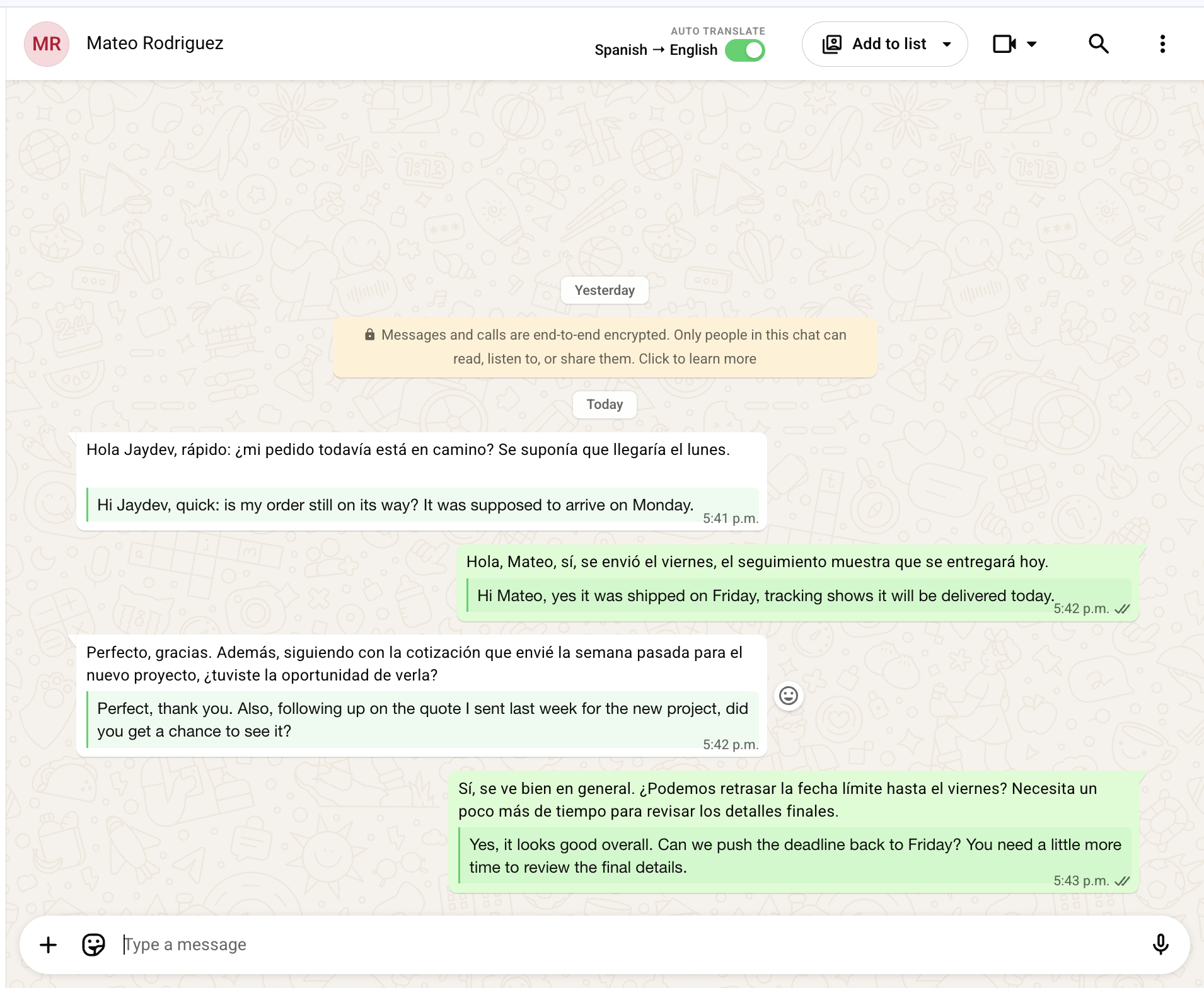
With Reply In Their Languageon, just type and press Enter — your message is translated into the chat's language and sent in one step. Prefer to review first? Tap the 文A button to translate in the box before sending.
Display modes
Classic vs God Mode
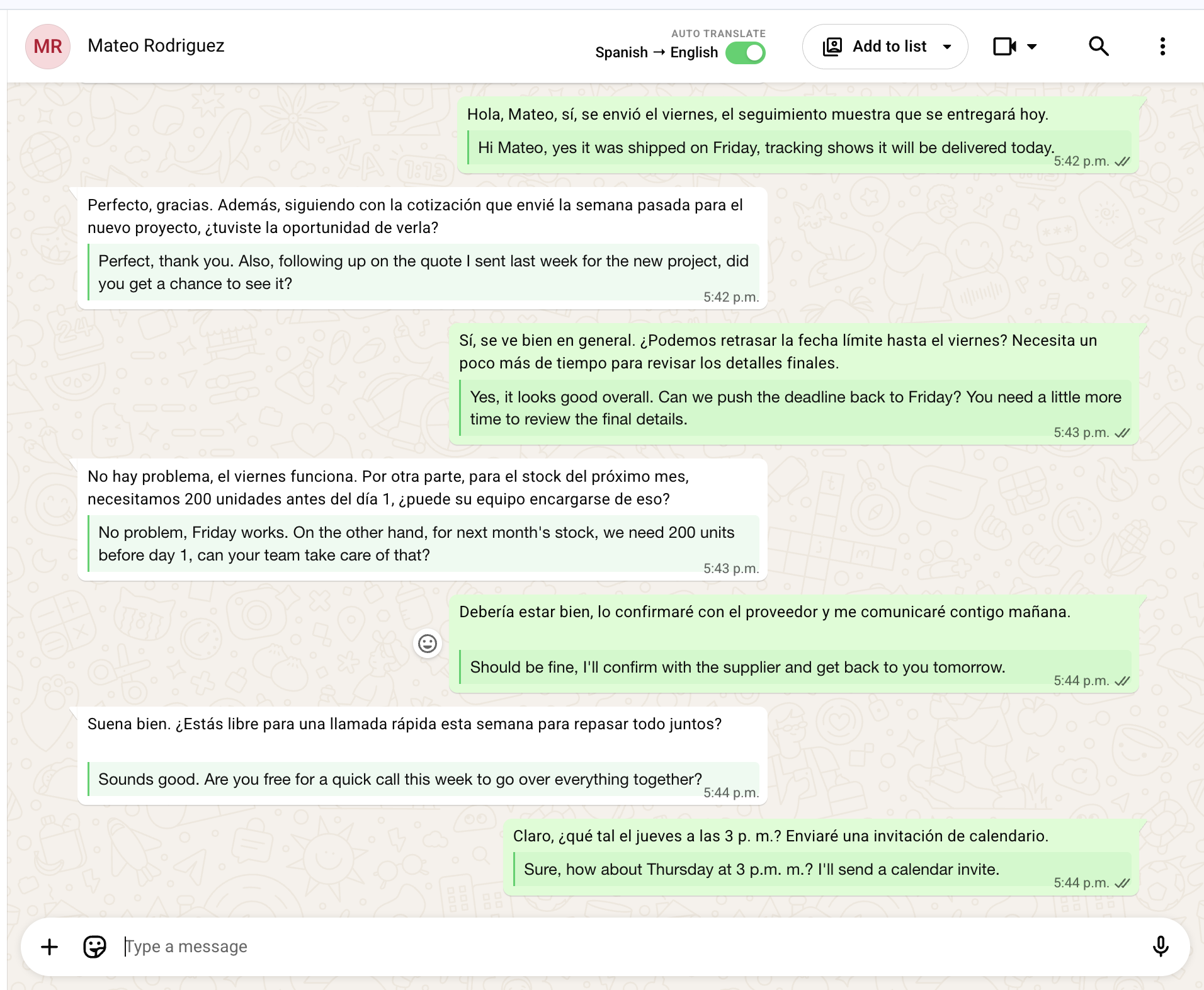
Classic
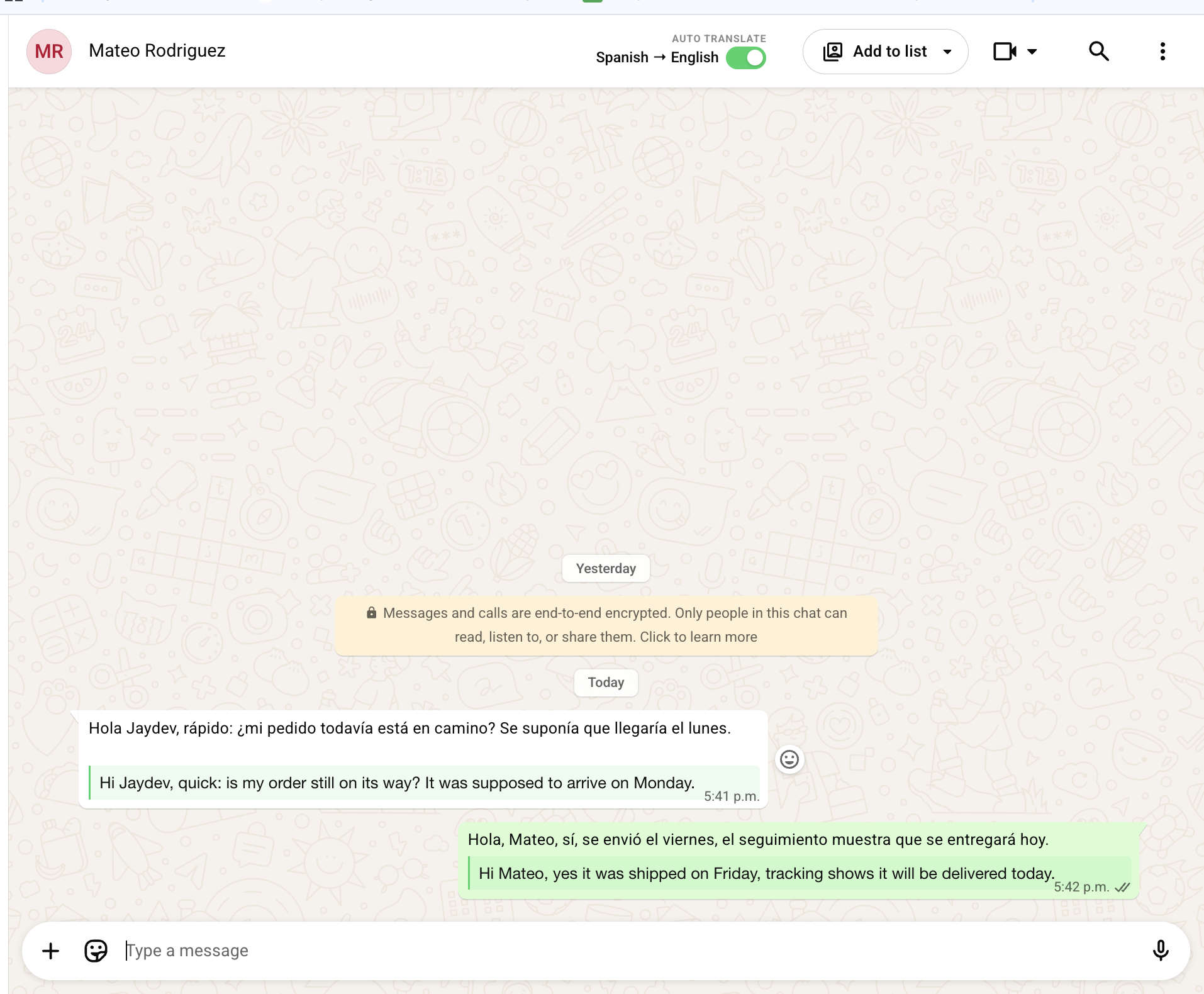
The original message stays, with the translation below it in a subtle highlight. Best when you want to see both languages side by side.
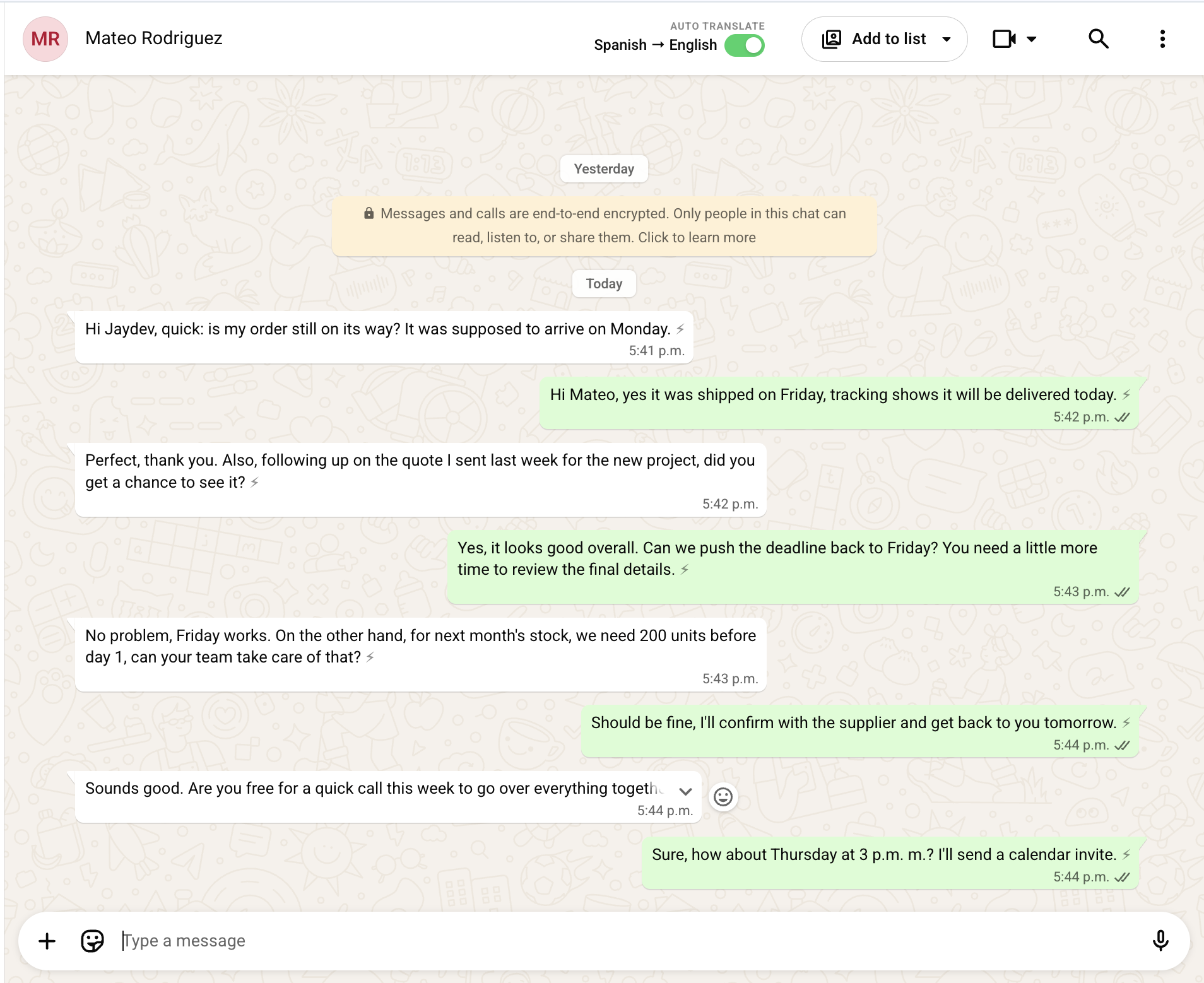
God Mode ⚡
The original is replaced, so the whole chat reads in your language — it feels like everyone's texting you natively. Hover any message to peek at the original.
Font size
Set translation text to Small, Medium, Large, or XL to match your comfort.
One device at a time
Your account stays signed in on a single machine. Signing in elsewhere signs out the previous one automatically.
Support
Need a hand?
Email j@jaydev.ai and I'll get back to you personally. Quick fixes for the most common things:
Translations stopped appearing
Refresh WhatsApp Web (Cmd/Ctrl+R). WhatsApp occasionally re-renders the page; a refresh reloads the extension. If it persists, email me — I ship fixes fast.
Didn't get the sign-in code
Check spam, wait a minute, and use Resend. Codes are 6 digits and expire shortly.
Signed out unexpectedly
That means the account was signed in on another device — only one stays active at a time. Just sign in again here.
Billing, refunds & cancellation
Cancel anytime, yourself — open the popup while signed in and tap "Manage subscription." Refunds are full within 7 days of a charge, no questions asked.
Still stuck? Email j@jaydev.ai with a screenshot and I'll sort it out.